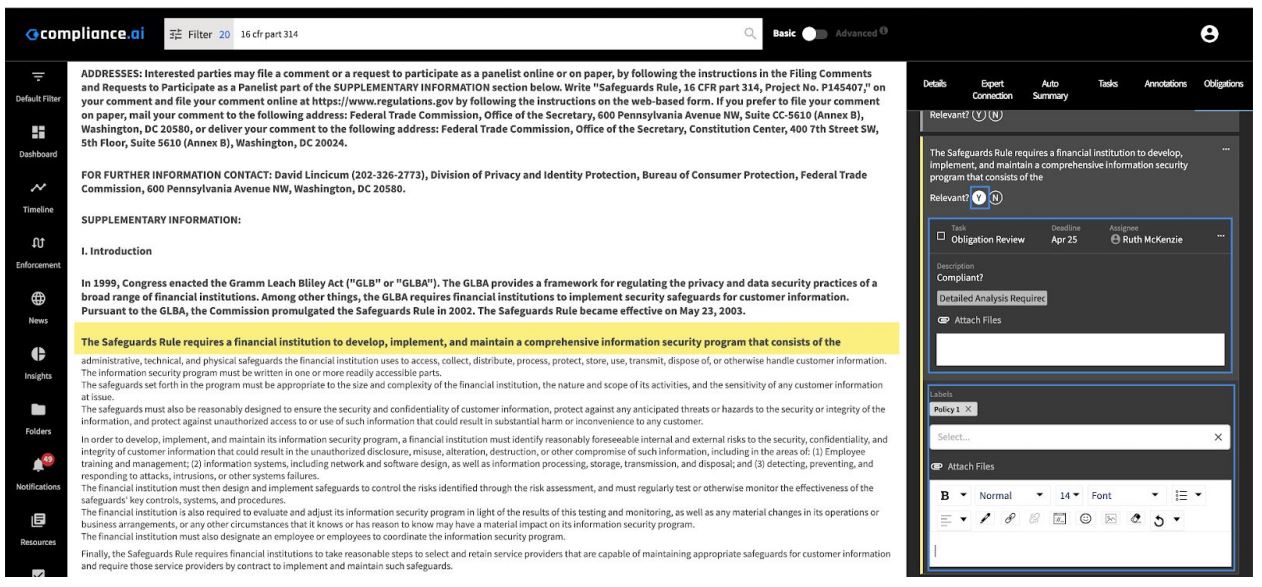
You can access and review content categorized as obligations. These obligations are either automatically categorized as obligations by Compliance.ai (system-generated), or by users in your organization (user-generated). You can review the obligations to determine if they are relevant to your organization, add labels to map the obligations to your controls, annotate them using a rich text editor, and add links or attachments.
Team edition users can also complete related Obligation workflow tasks to determine applicability or risk of the obligations.
Users within an organization can add user-generated obligations to determine the relevance and risk of these additional obligations, and annotate them as needed.
This product guide will show you how to:
-
Search for documents with Obligations
-
Access system-generated Obligations and create your own Obligations
-
Add Obligation review to workflows (Team edition)
Search for documents with Obligations
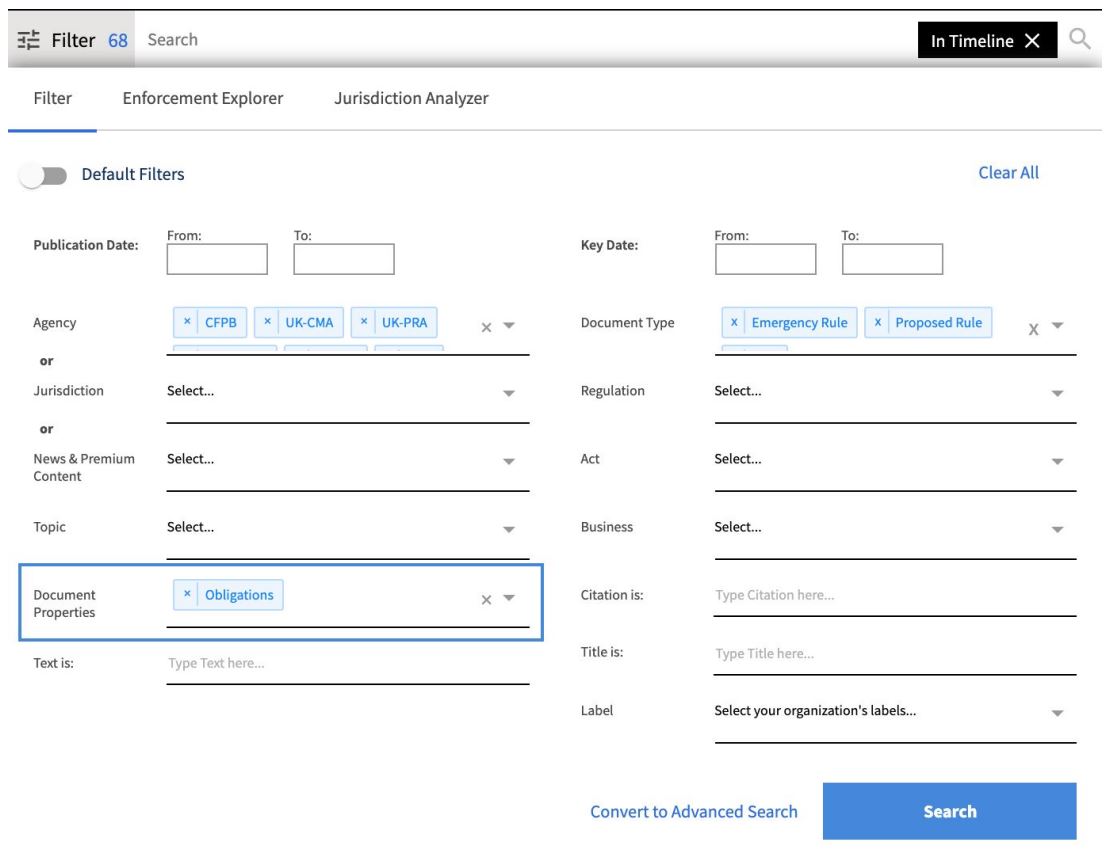
To find documents that include Obligations, select “Document Properties = Obligations” within Search Filters.
 Access system-generated Obligations and create your own obligations
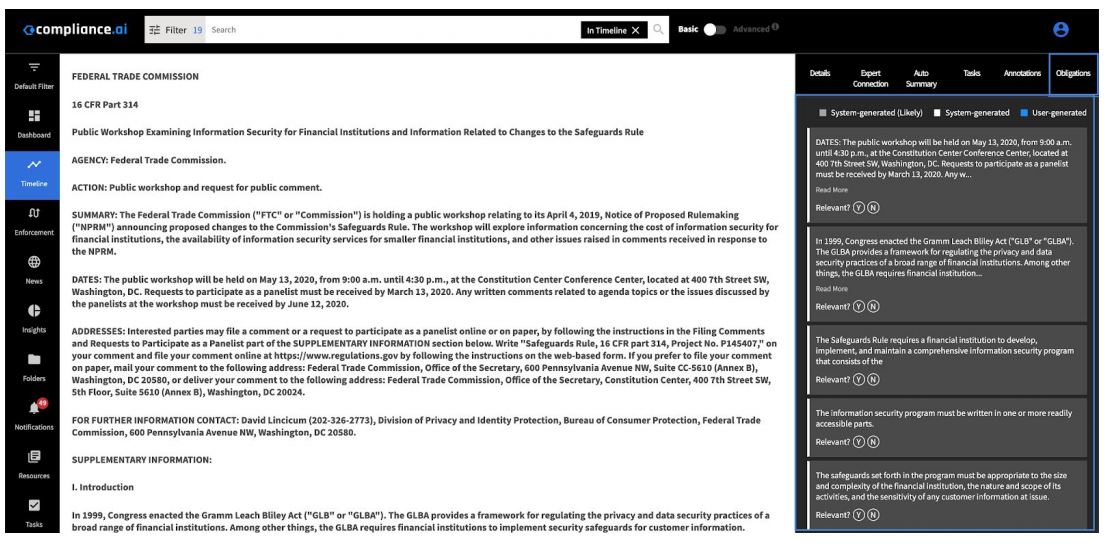
When a document is selected, you will see the Obligations tab in the right-hand panel, which shows all system-generated and user-generated Obligations.
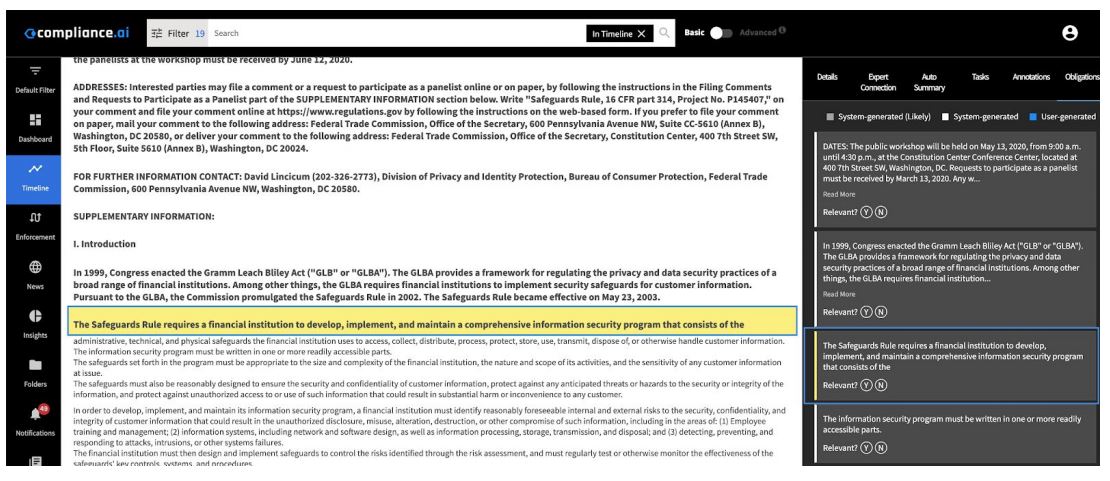
Selecting an Obligation navigates to the relevant section of the documents from which the obligation was classified.
 You can also add new user-generated obligations to the document by highlighting a portion of the text and selecting the “Add Obligation” option. These obligations are organized sequentially based on where they appear in the text and are color-coded to depict which obligations are system-generated and which are user-generated. Any Obligation marked “Y,” will allow you to then have access to the rich text editor to label, add attachments, and leave comments on the selected Obligation text. Team Edition users will also see Obligation Review tasks for any workflows to which the document is assigned listed for Obligations marked “Y.”
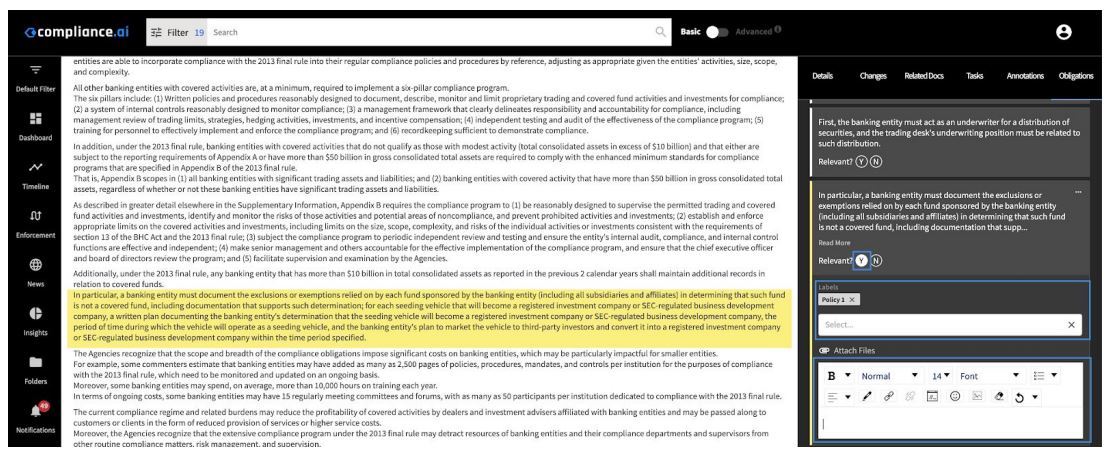 Note: All user-generated obligations for your organization appear in the Obligations tab. User-generated obligations are restricted to your organization only.
Add Obligation review to workflows (Team edition)
Team edition users can create workflows that include Obligation Review steps.
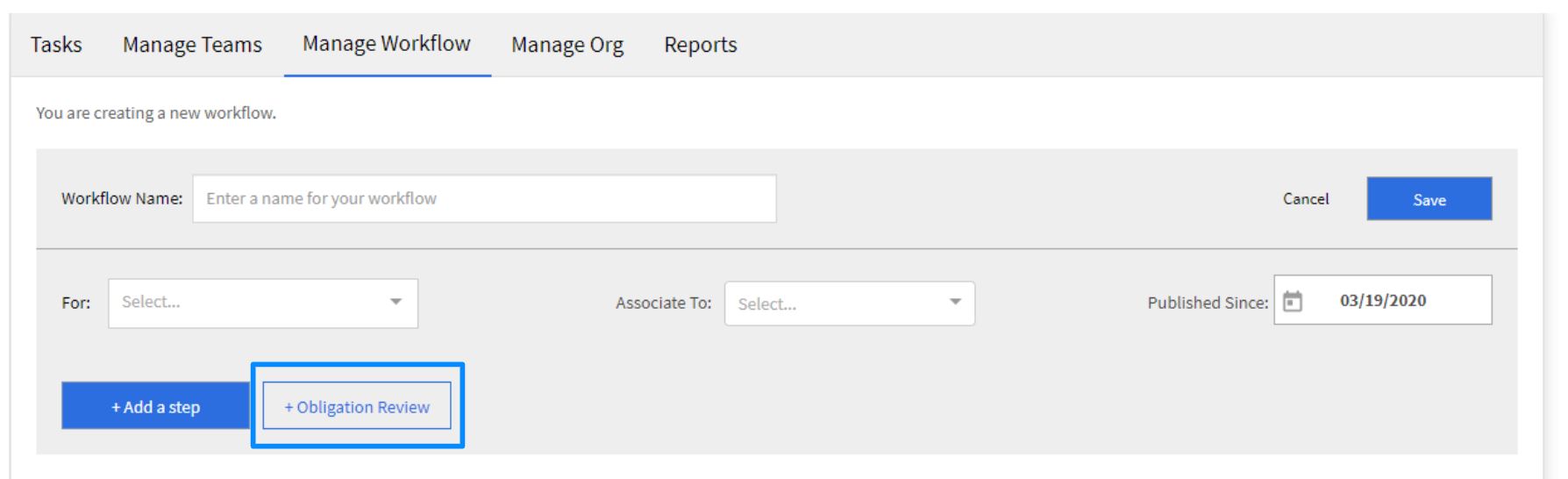
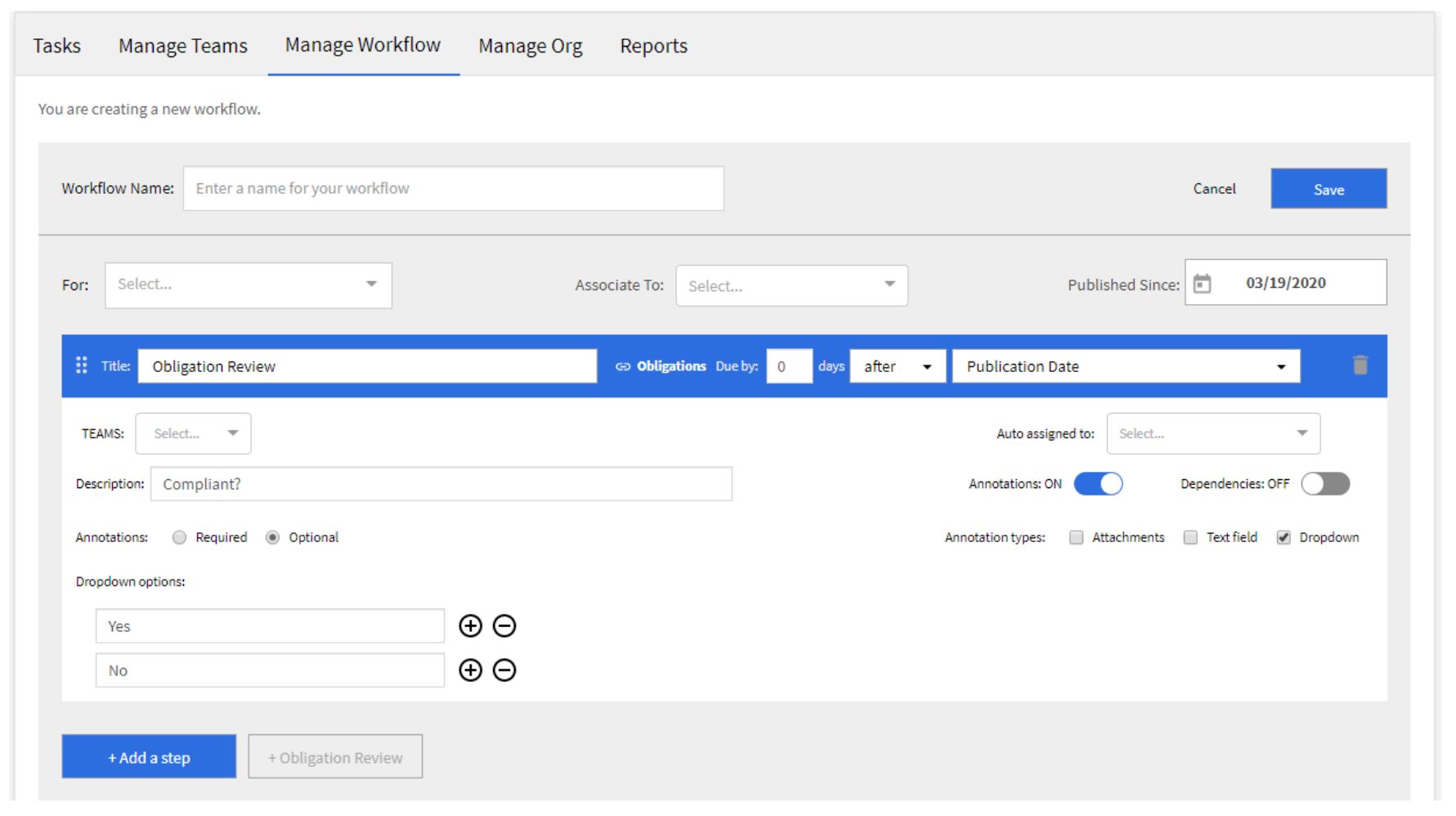
If a workflow with an Obligation Review step is added to your document, you will see the specific steps (including specific drop-down options, text fields and attachments) appear beneath each Obligation marked Relevant – Y.